
1 – Find the icons at the center bottom of the screen
2 – Click on the Box with an arrow icon, Present now


3 – Click “Window”
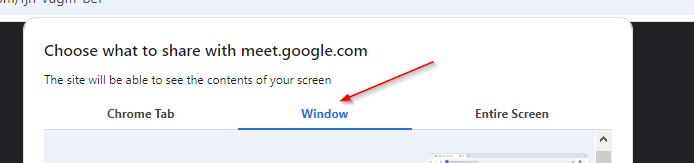
4 – Select the window you want to share
5 – Click Share
1 – Find the icons at the center bottom of the screen
2 – Click on the Box with an arrow icon, Present now
3 – Click “Window”
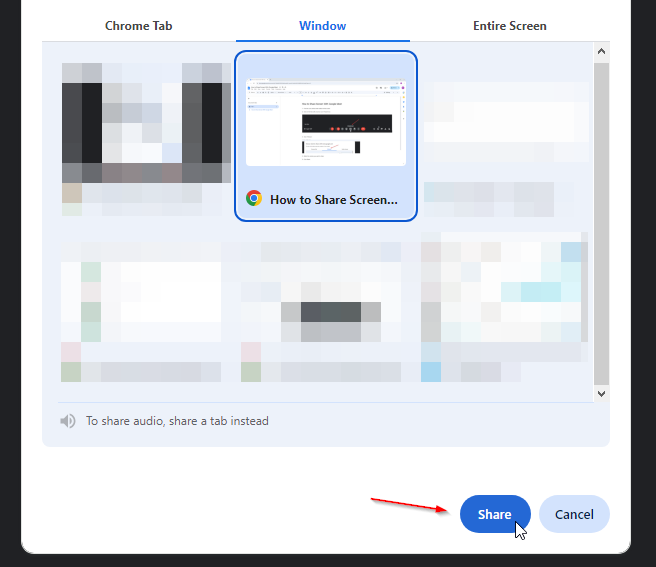
4 – Select the window you want to share
5 – Click Share